

 0
0


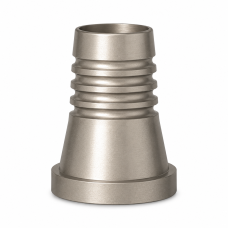
Digital Solutions for Multi-Unit
DMi Digital Solutions for Multi-Unit are precision-manufactured prosthetic and laboratory components designed to support modern digital workflows for implant-supported restorations using DMi Multi-Unit systems.
The digital Multi-Unit system enables clinicians and dental laboratories to accurately transfer the position and orientation of Multi-Unit Abutments into the digital environment, supporting efficient planning, design, and fabrication of implant-supported prosthetic restorations.
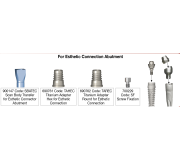
Depending on the specific system and component, DMi Digital Solutions for Multi-Unit may include scan bodies, titanium bases, digital analogs, prosthetic screws, laboratory components, and other CAD/CAM-compatible restorative components.
These components are engineered for accurate positioning, precise connection, and efficient integration between clinical and laboratory stages of the digital restorative workflow.
Key Features
- Designed specifically for compatible DMi Multi-Unit systems
- Supports digital implant dentistry and CAD/CAM workflows
- Helps accurately transfer Multi-Unit position and orientation
- Scan bodies for digital impressions and laboratory scanning
- Titanium bases for CAD/CAM restorations where applicable
- Digital analogs for digital and 3D-printed model workflows
- Supports screw-retained implant-supported restorations
- Suitable for multiple-unit and full-arch restorative workflows where indicated
- Precision-manufactured for accurate positioning and connection
- Designed for efficient clinical and laboratory handling
- Helps streamline communication between clinicians and dental laboratories
- Compatible with designated DMi Multi-Unit prosthetic components and digital libraries
Applications
Depending on the specific component, DMi Digital Solutions for Multi-Unit may be used for intraoral scanning, laboratory scanning, digital transfer of Multi-Unit positions, digital model creation, CAD/CAM design, and fabrication of multiple-unit and full-arch implant-supported restorations.
A compatible Multi-Unit scan body can be connected to the Multi-Unit Abutment to digitally record its position and orientation. The acquired data can then be transferred into the appropriate CAD/CAM workflow for designing the planned restoration and selecting the corresponding DMi restorative components.
Digital Workflow
1. Select the appropriate digital component for the designated DMi Multi-Unit system.
2. Connect the compatible scan body to the Multi-Unit Abutment.
3. Record the position and orientation using an intraoral or laboratory scanner.
4. Transfer the scan data into compatible CAD/CAM software using the appropriate DMi digital library.
5. Design the multiple-unit or full-arch implant-supported restoration.
6. Select the corresponding titanium bases, prosthetic screws, or other Multi-Unit restorative components as required.
7. Fabricate and complete the final restoration according to the applicable clinical and laboratory protocol.
Always verify compatibility between the specific DMi Multi-Unit system, scan body, digital analog, titanium base, prosthetic screw, digital library, and CAD/CAM system before use. Follow the applicable DMi Instructions for Use.