All about product
 Reviews
 INSTRUCTION FOR USE

Product Description
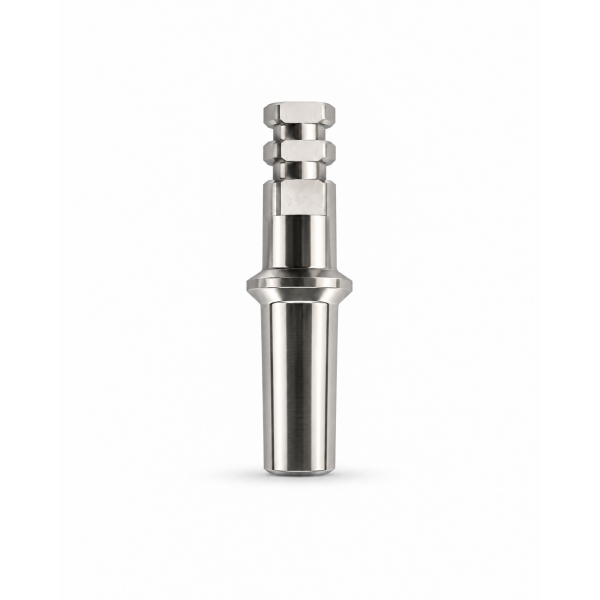
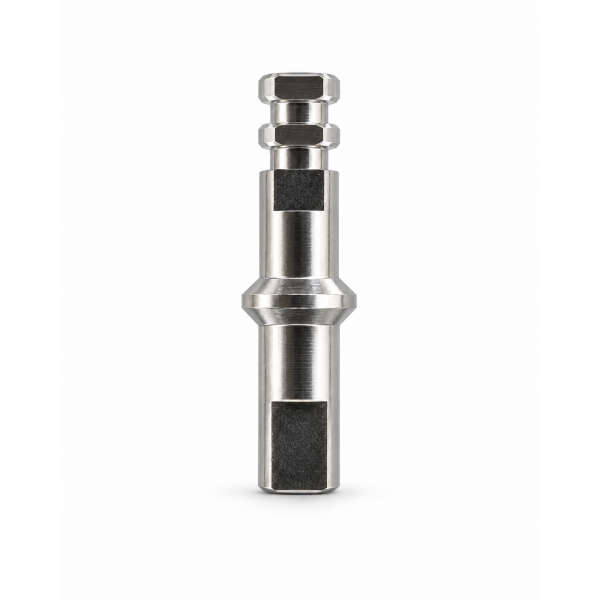
Analog for Titanium Abutment Wide 2-4
The Analog for Titanium Abutment Wide 2-4 is a dental laboratory component used to reproduce the corresponding abutment’s position and restorative shape within a working model. It provides a reference for fabricating and evaluating the planned prosthetic restoration outside the patient’s mouth.
Designed for abutment-level laboratory workflows, the analog allows technicians to work with a representation of the matching titanium abutment during model preparation and restoration fabrication.
Key Features
- Laboratory analog for the corresponding Wide 2-4 titanium abutment.
- Reproduces the abutment’s restorative form and position in the working model.
- Supports prosthetic fabrication and assessment of restoration fit.
- Intended for professional dental laboratory use.
Applications
Used during the preparation of working models for restorations involving the matching Wide 2-4 titanium abutment. Select the analog according to the exact abutment and impression components used.
Compatibility
Use only with the corresponding abutment and compatible laboratory components. Verify the product reference before use.until use.

Reviews
There are no reviews for this product, be the first to leave your review.


Analog for Titanium Abutment Wide 2-4
Intended Use
The Analog for Titanium Abutment Wide 2-4 is a laboratory component intended to reproduce the corresponding titanium abutment’s restorative form and position within a dental working model. It supports the fabrication and evaluation of prosthetic restorations.
For use by qualified dental laboratory personnel only. Not intended for intraoral use or implantation.
Compatibility
Use only with the designated Wide 2-4 abutment system and its corresponding impression components. Confirm compatibility using the product reference and manufacturer’s documentation. Similar appearance or the designation “Wide” alone does not establish compatibility.
Laboratory Procedure
- Select the correct analog. Confirm that it corresponds to the abutment represented in the impression.
- Position the analog. Seat it in the corresponding impression component using the connection method specified for the system.
- Verify seating and orientation. Ensure complete seating and stable positioning. Do not force the connection or proceed if movement or an unexplained gap remains.
- Fabricate the working model. Introduce the model material according to its manufacturer’s instructions, avoiding displacement of the analog.
- Allow the material to set. Observe the recommended setting time before separating the model from the impression.
- Inspect the completed model. Confirm that the analog is securely retained and that the restorative surfaces are accessible and free of defects.
- Proceed with restoration fabrication. Use the verified working model and compatible prosthetic components according to the prescribed laboratory workflow.
Warnings and Precautions
- Do not place the analog in the patient’s mouth.
- Do not use damaged, deformed, or excessively worn components.
- Do not grind, bend, or modify the analog’s mating or restorative surfaces.
- Incorrect selection, incomplete seating, or movement during model fabrication may result in an inaccurate restoration.
- Do not assume compatibility with H2.43, H2.1, conical, or multi-unit systems without confirmation.
- Follow applicable laboratory infection-control procedures when handling impressions and associated components.
Cleaning and Reuse
Follow the manufacturer’s component-specific instructions for cleaning, disinfection, and any permitted reuse. Do not assume that the analog is autoclavable or reusable. Do not apply unverified sterilization temperatures, chemical agents, or processing cycles.
Storage
Store in a clean, dry location, protected from contamination and mechanical damage. Retain the product identification and lot information for traceability.